cd ~/projects/catchmusic
CatchMusic
A music streaming platform featuring song discovery, personalized playlists, favorites, and offline play by browser caching.
- status
- Live
- concept
- Browser Cache Storage, Redis, NextAuth, Messaging Queues
- repository
- CatchMusic on GitHub
overview
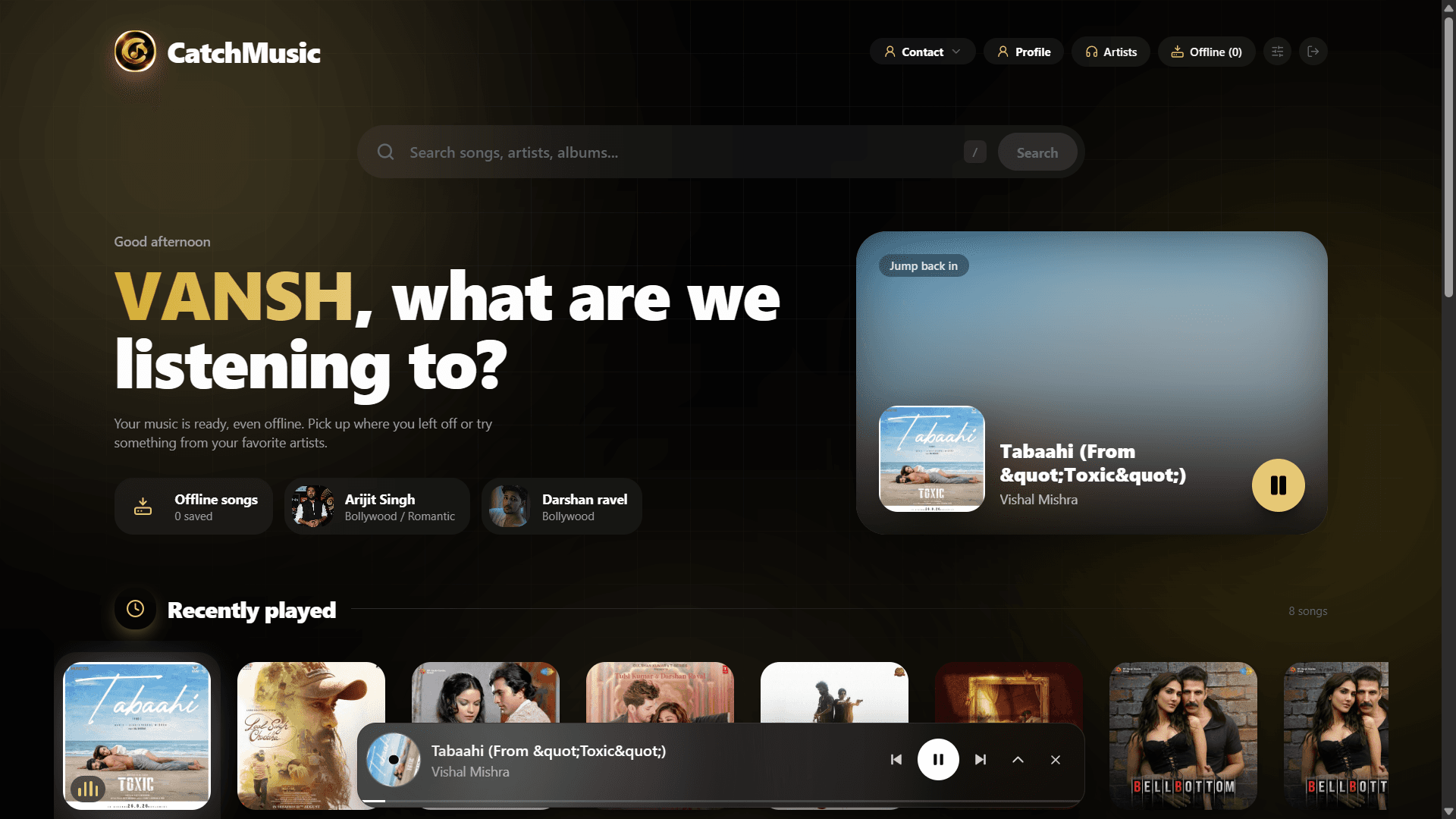
CatchMusic is a music streaming platform built around the artists you actually like. The first time you log in, you pick your favorite singers, and the app builds your home page around them.
For every singer you select, it searches for their top 20 songs and uses them to suggest songs from other singers too, shown on the home page next to your favorite singers' profiles. Songs are cached in the browser's cache storage, so they stay available until you delete them or clear the cache. It is built with Next.js and TypeScript, with Redis in the stack.
stack
// what CatchMusic is built withconst stack = {frontend: ["React", "TypeScript"],backend: ["Next.js API Routes", "TypeScript"],tools: ["Bun", "NextAuth", "Redis", "Browser cache storage", "BullMQ", "sessionStorage"],database: ["Postgresql", "Drizzle ORM"],} ; export default stack;preview1 file
how it works
Pick your favorite singers
The first time you log in, you select the singers you like. This is what the rest of the app is built on.
Top 20 songs are fetched
For each selected singer, CatchMusic searches for their top 20 songs.
Your home page is built
The home page shows your favorite singers' profiles, along with song suggestions from other singers based on your picks.
Songs are cached in the browser
Songs are stored in the browser's cache storage. They stay there until you delete them or clear your browser cache, so they can play again without a connection.
Search, like and organize
Search for songs with debounced input, like the ones you love, and add them to your own playlists.
Pick up where you left off
Recently played songs are saved, so your last listens are always one tap away.
features7 total
No premium, no ads
Just search, play, and enjoy—no premium plan or ads to get in the way.
Suggestions from other singers
The home page recommends songs from other singers, shown along with the profiles of your favorite singers.
Like songs
Like a song to keep it with the ones you love.
Playlist creation
Create your own playlists and add the songs you want to them.
Add and remove songs from cache
Choose which songs are stored in the browser's cache storage, and remove them whenever you want. They stay until you delete them or clear the cache.
Pagination
Songs are loaded page by page, so long lists stay fast instead of rendering all at once.
Recently played
Recently played songs are saved, so you can jump back to what you were listening to.
problems & fixes
Listening without internet
Problem: A streaming app stops being useful the moment the connection drops.
Solution: Cache songs in the browser's cache storage, so they can play again offline until the user deletes them.
A request on every keystroke
Problem: Searching on every key press floods the search with requests and makes results flicker.
Solution: Debounce the search input, so a request goes out only after the user stops typing.
Search failing when the music service is busy
Problem: Songs, artists, playlists and albums come from a third-party music service. Under heavy load it sometimes fails, and then a song search can fail with it, which is outside my control.
Solution: The app does not break or hang when a request fails. It shows a clear "try again later" message instead, so the user knows it is a temporary issue and can simply search again. Songs already cached in the browser keep playing meanwhile, so listening is not interrupted.